
Screen Recorder - XRecorder
Contains adsIn-app purchases

star
7.68M reviews

Everyone
info
100M+
Downloads

Everyone
Learn more


About this app
NO watermark
NO root needed
NO recording time limit
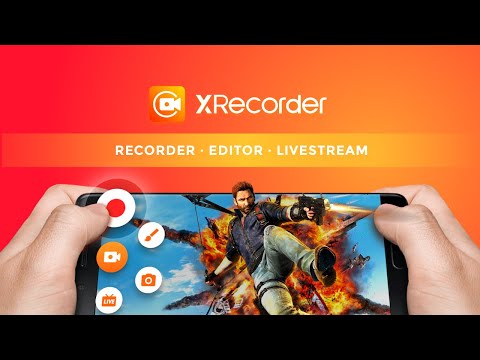
Screen Recorder & Video Recorder - XRecorder helps you capture smooth & clear screen videos, screenshots in the easiest way. Just with a tap on the floating ball, you can record HD video tutorial, video calls and videos that can not be downloaded. And you will never miss live game shows, and important moments anymore.
Download XRecorder to capture anything you like!
🏅TOP FEATURES:
● Capture screen to take a clear Screenshot
● Record Gameplay on your phone
● Internal audio recording without noise (ONLY Android 10 or above)
● YouTube & RTMP Live stream: be a gaming streamer to gain fun and popularity
● Facecam: express reactions freely with multiple camera switch
● Brush Tools: draw on the screen to make your screen capture extra special
● Video Editor: trim, remove the middle part, add music and speed control
● Maximum 120 FPS recording support to enjoy the ultimate visual experience
● Export Full HD video with custom settings: 240p to 1080p, 60FPS, 12Mbps
Pro Video Recorder:
● Customize floating ball style & opacity: a tailor-made one only for you
● One-tap Trash control: Enable or Disable it as you like
● No watermark: record a clean video & screenshot
● No recording time limits & No root needed
● Floating window: One touch to snap the exact moment or hide it when it’s not needed
● Custom Floating Window: show recording time or minimize it & replace button function
● Countdown timer: to be a fully prepared recorder
● Trash Bin: immediately recover deleted photos, videos, etc. within 3 days
● Alternative storage location: internal storage/ SD card
● Easy to pause/resume recording, rotate screen
Video Recorder with multiple editing tools
● Video trimmer: Trim, Cut and Split video to make it a better artwork
● Crop & Rotate video left, right or any other angle
● VIdeo for all platforms: adjust Ratio and Background fit for any occasion
● Music video maker: add popular music in your video
● Funny Sticker and Text to personalize your screen capture
● Stylish Filters: Story, Vintage, Lomo, etc. always a right for you
● Speed up/Slow down to adjust video pace
● Save as draft to make continuous editing possible
📼Screen Recorder in FULL HD
Screen Video Recorder - XRecorder supports recording game screen in the highest quality, 1080p, 12Mbps, 60FPS. Of course, you can record screen with adjustable resolution(240p to 1080p), quality, and FPS(15FPS to 60FPS).
🎉Screen Recorder with Facecam
Screen Recorder with Facecam helps you record your face and reaction in a small overlay window. It can be dragged freely to any position on the screen and customized to any size.
🏆Game Recorder with no Time Limit
Still looking for a gameplay video recorder to witness glorious moments? Just try XRecorder to enjoy the smoothest gameplay screen capture. It helps you record gameplay video without time limit.
📹Screen Video Recorder with no Watermark
Still find a screen capture tool without watermark? Download this video recorder to capture screen in a cleaner way. If you want to capture screen, record screen or take a screenshot efficiently, it is a must-have screen recorder.
🎧Screen Recorder with Audio
Want to record gameplay, video tutorial with audio? This powerful screen recorder with audio/sound will record your voice & internal audio fluidly and clearly. Download this fantastic screen recorder with audio - XRecorder to record your own video now.
Thanks for downloading Screen Recorder - Video Recorder. If you want to get support and share your ideas with more friends or have any feedback:
Join us at: https://www.reddit.com/r/XRecorder/
Email us at: xrecorder.feedback@gmail.com
NO root needed
NO recording time limit
Screen Recorder & Video Recorder - XRecorder helps you capture smooth & clear screen videos, screenshots in the easiest way. Just with a tap on the floating ball, you can record HD video tutorial, video calls and videos that can not be downloaded. And you will never miss live game shows, and important moments anymore.
Download XRecorder to capture anything you like!
🏅TOP FEATURES:
● Capture screen to take a clear Screenshot
● Record Gameplay on your phone
● Internal audio recording without noise (ONLY Android 10 or above)
● YouTube & RTMP Live stream: be a gaming streamer to gain fun and popularity
● Facecam: express reactions freely with multiple camera switch
● Brush Tools: draw on the screen to make your screen capture extra special
● Video Editor: trim, remove the middle part, add music and speed control
● Maximum 120 FPS recording support to enjoy the ultimate visual experience
● Export Full HD video with custom settings: 240p to 1080p, 60FPS, 12Mbps
Pro Video Recorder:
● Customize floating ball style & opacity: a tailor-made one only for you
● One-tap Trash control: Enable or Disable it as you like
● No watermark: record a clean video & screenshot
● No recording time limits & No root needed
● Floating window: One touch to snap the exact moment or hide it when it’s not needed
● Custom Floating Window: show recording time or minimize it & replace button function
● Countdown timer: to be a fully prepared recorder
● Trash Bin: immediately recover deleted photos, videos, etc. within 3 days
● Alternative storage location: internal storage/ SD card
● Easy to pause/resume recording, rotate screen
Video Recorder with multiple editing tools
● Video trimmer: Trim, Cut and Split video to make it a better artwork
● Crop & Rotate video left, right or any other angle
● VIdeo for all platforms: adjust Ratio and Background fit for any occasion
● Music video maker: add popular music in your video
● Funny Sticker and Text to personalize your screen capture
● Stylish Filters: Story, Vintage, Lomo, etc. always a right for you
● Speed up/Slow down to adjust video pace
● Save as draft to make continuous editing possible
📼Screen Recorder in FULL HD
Screen Video Recorder - XRecorder supports recording game screen in the highest quality, 1080p, 12Mbps, 60FPS. Of course, you can record screen with adjustable resolution(240p to 1080p), quality, and FPS(15FPS to 60FPS).
🎉Screen Recorder with Facecam
Screen Recorder with Facecam helps you record your face and reaction in a small overlay window. It can be dragged freely to any position on the screen and customized to any size.
🏆Game Recorder with no Time Limit
Still looking for a gameplay video recorder to witness glorious moments? Just try XRecorder to enjoy the smoothest gameplay screen capture. It helps you record gameplay video without time limit.
📹Screen Video Recorder with no Watermark
Still find a screen capture tool without watermark? Download this video recorder to capture screen in a cleaner way. If you want to capture screen, record screen or take a screenshot efficiently, it is a must-have screen recorder.
🎧Screen Recorder with Audio
Want to record gameplay, video tutorial with audio? This powerful screen recorder with audio/sound will record your voice & internal audio fluidly and clearly. Download this fantastic screen recorder with audio - XRecorder to record your own video now.
Thanks for downloading Screen Recorder - Video Recorder. If you want to get support and share your ideas with more friends or have any feedback:
Join us at: https://www.reddit.com/r/XRecorder/
Email us at: xrecorder.feedback@gmail.com
Record games with audio. Smooth, HD screen capture & Built-in video editor.
Updated on
Events & offers

Featured stories

Safety starts with understanding how developers collect and share your data. Data privacy and security practices may vary based on your use, region, and age. The developer provided this information and may update it over time.
- No data shared with third partiesLearn more about how developers declare sharing
- This app may collect these data typesMessages and Device or other IDs
- Data is encrypted in transit
- You can request that data be deleted


Ratings and reviews
7.26M reviews

Nachelle Henderson
- Flag inappropriate
- Show review history
March 15, 2022
It really good so far. Better than the other one i downloaded. 😂 I also REALLY love the fact that there's an 'internal audio recording' option. I'll definitely take advantage of that. Edit: Okay, so I've been using this for a while, and one thing I found out is that you can't record anything on soundcloud with the 'internal audio recording' option, despite the app itself saying that I can. I hope this gets fixed one way or another because I was really disappointed when I found out.
1,100 people found this review helpful
InShot Inc.
December 26, 2024
We are so sorry for the trouble. The internal audio recording is available when the app or the content you recorded support internal audio recording. Actually most of the apps don't support it now. We have tested many apps, just a few apps support it. You can check the supported apps list and try to use the microphone to record the sound.

tempestinateapot
- Flag inappropriate
December 27, 2021
Records well, and the sound comes out better than I would have expected. But I can't get it to share properly! It says it's uploading, but nothing appears in my Google Drive. And when I tried to take it straight off my phone via a USB cord, it said the file was "unplayable". Kind of defeats the point, since I'm trying to record a YouTube video. I rated three stars because it's still a good recorder, and I have no idea if I'm just doing something stupid with the sharing, or if it's the app.
76 people found this review helpful
InShot Inc.
July 26, 2024
Hi friend,
we apologize for this problem. We have fixed the problem in the latest version. You can update to version 2.3.6.6 for recording. If you have any questions, please give us timely feedback. Thank you for your support.

A Google user
- Flag inappropriate
November 6, 2019
Even though it didn't record sound, it recorded everything with no compression, so the video was very sharp looking; but with no commpression comes very big file sizes. Yet VERY easy to use. They even had a quick access icon for when you need to record something very quickly without going into their app. It was very useful for when I had my phone before the Android 9 update. It did have ads, but they were not overwhelming in any way; they were a small ad (not popup) when you stop recording. 👍
80 people found this review helpful
What’s new
🌟 New
Perfected UI for large screens: enjoy XRecorder on tablets and foldables!
✅ Improvements
- Better recording experience.
- Other bug fixes and performance improvements.
Update XRecorder to start a better recording experience!
Join us at: https://www.reddit.com/r/XRecorder/
Email us at: xrecorder.feedback@gmail.com
Perfected UI for large screens: enjoy XRecorder on tablets and foldables!
✅ Improvements
- Better recording experience.
- Other bug fixes and performance improvements.
Update XRecorder to start a better recording experience!
Join us at: https://www.reddit.com/r/XRecorder/
Email us at: xrecorder.feedback@gmail.com
Everyone
Learn moreApp support
About the developer
Five Stars Apps Inc.
cameras.ideas@gmail.com
8 The Grn Ste R
Dover, DE 19901-3618
United States
+1 315-218-9991


