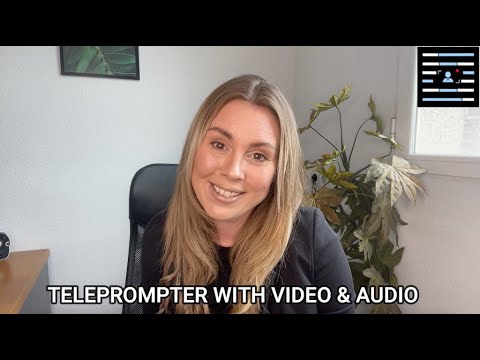

Teleprompter with Video Audio
Contains adsIn-app purchases

star
12.8K reviews

Everyone
info
10L+
Downloads


About this app
Best Teleprompter app for Mobile.
Read your script with a teleprompter app and record a video from the camera or mobile phone.
You read a pre-prepared script while recording yourself using the front/back-facing camera. Simply press record and read the script as it scrolls down the screen. As the script scrolls next to the camera lens, so you look like you're talking to your audience when you are actually reading!
This Teleprompter app will reduce your time to record video, and make your presentation more confident and attractive.
Best features of Teleprompter with video audio WITHOUT EXPENSIVE DEVICE
* Using front and rear-facing cameras record your video.
* Record your video in landscape or portrait.
* Record HD video with high frame rate based on what your device supports.
* TXT, DOCX, DOC and PDF file script import supported.
* Easy way to change Text size
* Change the text speed with easy way
* Record Audio using in-built and external microphones.
* Display a 3x3 or 4*4 grid to help you position yourself.
* Add your brand logo on your recorder device.
* Save without any watermark.
* Add your brand to your stories with the Teleprompter with video audio. Add your Quality title and your custom logo.
* Widget supported.
Simple to use Teleprompter app
* Set a countdown on settings to get into position.
* Control the teleprompter app with a Bluetooth or wired with OTG keyboard. Using a keyboard you can control the scrolling script (SPACE KEY = play pause scrolling script, UP KEY = Increase scrolling speed, DOWN KEY = decrease scrolling speed).
* Mirror the script for use in a pro teleprompter rig device.
* Do Settings for Adjust font size, scrolling speed and Other.
Upgrade is AVAILABLE:
Teleprompter with Video audio free version allows up to 750 characters which is enough for video of around 1 minute. upgrade version available if you need to use longer scripts.
* After upgrade allow unlimited scripts and Add your own logo to your videos
Read your script with a teleprompter app and record a video from the camera or mobile phone.
You read a pre-prepared script while recording yourself using the front/back-facing camera. Simply press record and read the script as it scrolls down the screen. As the script scrolls next to the camera lens, so you look like you're talking to your audience when you are actually reading!
This Teleprompter app will reduce your time to record video, and make your presentation more confident and attractive.
Best features of Teleprompter with video audio WITHOUT EXPENSIVE DEVICE
* Using front and rear-facing cameras record your video.
* Record your video in landscape or portrait.
* Record HD video with high frame rate based on what your device supports.
* TXT, DOCX, DOC and PDF file script import supported.
* Easy way to change Text size
* Change the text speed with easy way
* Record Audio using in-built and external microphones.
* Display a 3x3 or 4*4 grid to help you position yourself.
* Add your brand logo on your recorder device.
* Save without any watermark.
* Add your brand to your stories with the Teleprompter with video audio. Add your Quality title and your custom logo.
* Widget supported.
Simple to use Teleprompter app
* Set a countdown on settings to get into position.
* Control the teleprompter app with a Bluetooth or wired with OTG keyboard. Using a keyboard you can control the scrolling script (SPACE KEY = play pause scrolling script, UP KEY = Increase scrolling speed, DOWN KEY = decrease scrolling speed).
* Mirror the script for use in a pro teleprompter rig device.
* Do Settings for Adjust font size, scrolling speed and Other.
Upgrade is AVAILABLE:
Teleprompter with Video audio free version allows up to 750 characters which is enough for video of around 1 minute. upgrade version available if you need to use longer scripts.
* After upgrade allow unlimited scripts and Add your own logo to your videos
Read your script with a teleprompter app and record a video from the camera.
Updated on
Safety starts with understanding how developers collect and share your data. Data privacy and security practices may vary based on your use, region and age. The developer provided this information and may update it over time.
- No data shared with third partiesLearn more about how developers declare sharing
- This app may collect these data typesPersonal info, Photos and videos and 2 others
- Data isn’t encrypted
- Data can’t be deleted


Ratings and reviews
12.6K reviews

Oluwatumininu Oladele
- Flag inappropriate
2 October 2026
I've really enjoyed using it. It works as expected and makes my video recording process easy and fast. I love that you can either record your video/audio in the teleprompter app or use the widget button to place your script on your chosen phone camera.
9 people found this review helpful
Pode Groups
5 October 2026
Thank you so much for your review!

Susy Thomas
- Flag inappropriate
10 November 2026
file is waiting to upload so unsure about result but the experience felt easier than most

Daniel Melton
- Flag inappropriate
- Show review history
1 May 2021
Would give 5 stars but the fact I had to search the comments to find where my videos were made the ease of use less true. For those who have issues with finding video. You will need to go to your file folder and find the teleprompter folder and videos are stored there. I know there is an icon in your video gallery but not sure why that is there cause it's confusing but just ignore those videos and go to your files folder instead as described above.
92 people found this review helpful
Pode Groups
2 May 2021
Sorry about this issue. Please contact us at podegroups@gmail.com and let us know the issue you encountered. We would be glad to help with this. Hope to hear from you soon.
What's new
Latest Android OS supported.
App support
About the developer
VISHAL RAMESHBHAI VAGHASIYA
podegroups@gmail.com
J202, Sarovar 5
B/S Aamantran bunglows, Gangotri bunglows circle, Nikol
Ahmedabad, Gujarat 382350
India


