
Video Editor & Maker VideoShow
Contient des annoncesAchats via l'appli

star
5,93M avis

Adolescents
info
100M+
Téléchargements


À propos de l'application
VideoShow – AI Video Editor, Movie Maker & AI Editing Tools!
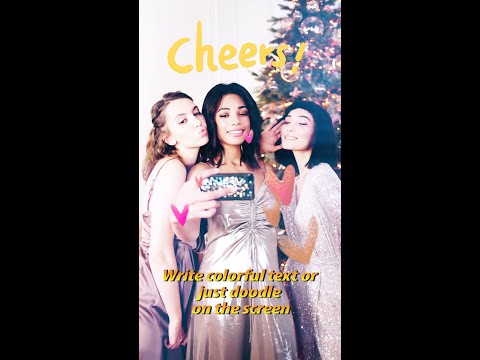
VideoShow makes AI video editing easy and fun! Create stunning videos with AI effects, stickers, filters, transitions, and music. Personalize your vlogs, memes, and social media posts with scrolling text, FX, GIFs, and voice-overs. VideoShow unlocks your creativity with smart effects to help you preserve precious memories of weddings, birthdays, Halloween, Christmas, and Valentine’s Day. Share your creations with one tap on TikTok, REDnote, Instagram, and Facebook!
Professional Video Editor & Photo Editor:
- Ready-Made Templates: Create trendy videos in just a few simple steps.
- Keyframe Animation: Create smooth animations and dynamic effects with precise keyframe controls.
- Mask Editing: Blend clips seamlessly and create stunning effects with precise mask controls.
- Audio Extractor: Extract audio from videos with ease.
- 4K Export: Export videos in up to 4K resolution.
- Video Overlay: Display multiple videos on one screen and create double exposure effects.
- Add emojis and animated filters.
- Easily splice video clips together.
- Add voice-overs and use fully licensed music.
- No watermark / No ads after upgrading to VIP.
AI Video Editing Tools:
- AI Auto Editing: Just choose, and let AI seamlessly add effects, filters, and themes.
- AI Cutout: Remove backgrounds from photos and videos in one tap. No green screen needed. Perfect for PIP overlays and creative edits.
- AI Noise Reduction: Remove background noise and enhance vocal clarity for crisp, clear audio.
- AI Subtitles: AI-powered speech-to-text helps you say goodbye to manual typing.
- AI Voice Changer: Transform your voice with a range of effects.
- AI Mosaic: Protect privacy or create stylized effects with AI-powered mosaic tools.
- AI Effects: Explore creative video filters and effects, including stroke, auto-blur, and more.
All-in-One Video Editor:
- Use elaborate themes to create music videos, slideshows, or vlogs instantly.
- Choose from various background music tracks or add local songs from your device.
- Explore a variety of text styles and fonts to create artistic subtitles.
- Add stunning filters to make your videos stand out.
- Enjoy blurred backgrounds, voice enhancement, and speed adjustment features.
- Add multiple music tracks, adjust their volume, and apply fade-in and fade-out effects.
- Easily adjust video ratios for Instagram and TikTok posts.
- GIF Export: Create funny GIFs using photos from your album.
Powerful Video Editing Tools:
- Splice, merge, convert videos to MP3, create collages, and make loop videos with ease.
- Zoom in and out to focus on details.
- Adjust playback speed with fast motion and slow motion.
- Doodle on videos, reverse clips, compress videos, trim soundtracks, and more.
- Explore the Materials Center for themes, filters, stickers, GIFs, memes, emojis, fonts, sound effects, FX, and more.
Share Your Life Stories on Social Media:
- Export GIFs or videos in Full HD 1080p and up to 4K.
- Share on Instagram Reels, Facebook, TikTok, REDnote, WhatsApp, Kwai, Weibo, and more.
Turn imagination into reality with VideoShow AI Video Editor! Whether you’re a beginner or a pro, VideoShow makes it easy to edit videos, explore creative effects, and create high-quality videos worth sharing.
Disclaimer:
VideoShow is not affiliated, associated, sponsored, endorsed by, or in any way officially connected with Instagram, TikTok, WhatsApp, YouTube, Facebook, Twitter, or REDnote.
VideoShow makes AI video editing easy and fun! Create stunning videos with AI effects, stickers, filters, transitions, and music. Personalize your vlogs, memes, and social media posts with scrolling text, FX, GIFs, and voice-overs. VideoShow unlocks your creativity with smart effects to help you preserve precious memories of weddings, birthdays, Halloween, Christmas, and Valentine’s Day. Share your creations with one tap on TikTok, REDnote, Instagram, and Facebook!
Professional Video Editor & Photo Editor:
- Ready-Made Templates: Create trendy videos in just a few simple steps.
- Keyframe Animation: Create smooth animations and dynamic effects with precise keyframe controls.
- Mask Editing: Blend clips seamlessly and create stunning effects with precise mask controls.
- Audio Extractor: Extract audio from videos with ease.
- 4K Export: Export videos in up to 4K resolution.
- Video Overlay: Display multiple videos on one screen and create double exposure effects.
- Add emojis and animated filters.
- Easily splice video clips together.
- Add voice-overs and use fully licensed music.
- No watermark / No ads after upgrading to VIP.
AI Video Editing Tools:
- AI Auto Editing: Just choose, and let AI seamlessly add effects, filters, and themes.
- AI Cutout: Remove backgrounds from photos and videos in one tap. No green screen needed. Perfect for PIP overlays and creative edits.
- AI Noise Reduction: Remove background noise and enhance vocal clarity for crisp, clear audio.
- AI Subtitles: AI-powered speech-to-text helps you say goodbye to manual typing.
- AI Voice Changer: Transform your voice with a range of effects.
- AI Mosaic: Protect privacy or create stylized effects with AI-powered mosaic tools.
- AI Effects: Explore creative video filters and effects, including stroke, auto-blur, and more.
All-in-One Video Editor:
- Use elaborate themes to create music videos, slideshows, or vlogs instantly.
- Choose from various background music tracks or add local songs from your device.
- Explore a variety of text styles and fonts to create artistic subtitles.
- Add stunning filters to make your videos stand out.
- Enjoy blurred backgrounds, voice enhancement, and speed adjustment features.
- Add multiple music tracks, adjust their volume, and apply fade-in and fade-out effects.
- Easily adjust video ratios for Instagram and TikTok posts.
- GIF Export: Create funny GIFs using photos from your album.
Powerful Video Editing Tools:
- Splice, merge, convert videos to MP3, create collages, and make loop videos with ease.
- Zoom in and out to focus on details.
- Adjust playback speed with fast motion and slow motion.
- Doodle on videos, reverse clips, compress videos, trim soundtracks, and more.
- Explore the Materials Center for themes, filters, stickers, GIFs, memes, emojis, fonts, sound effects, FX, and more.
Share Your Life Stories on Social Media:
- Export GIFs or videos in Full HD 1080p and up to 4K.
- Share on Instagram Reels, Facebook, TikTok, REDnote, WhatsApp, Kwai, Weibo, and more.
Turn imagination into reality with VideoShow AI Video Editor! Whether you’re a beginner or a pro, VideoShow makes it easy to edit videos, explore creative effects, and create high-quality videos worth sharing.
Disclaimer:
VideoShow is not affiliated, associated, sponsored, endorsed by, or in any way officially connected with Instagram, TikTok, WhatsApp, YouTube, Facebook, Twitter, or REDnote.
AI Video Editor: Creative Videos, Edit Video with Effects, Music, Auto Captions
Date de mise à jour
La sécurité, c'est d'abord comprendre comment les développeurs collectent et partagent vos données. Les pratiques concernant leur confidentialité et leur protection peuvent varier selon votre utilisation, votre région et votre âge. Le développeur a fourni ces informations et peut les modifier ultérieurement.
- Aucune donnée partagée avec des tiersEn savoir plus sur la manière dont les développeurs déclarent le partage
- Cette appli peut recueillir ces types de donnéesInformations financières, Infos et performance des applis
- Les données sont chiffrées lors de leur transfert
- Impossible de supprimer les données


Notes et avis
5,59M avis
Nouveautés
What's New:
1. Added support for Brazilian Portuguese and Uzbek
2. Optimized localization copy to provide a better experience for users in different regions
3. Improved the overall app experience
1. Added support for Brazilian Portuguese and Uzbek
2. Optimized localization copy to provide a better experience for users in different regions
3. Improved the overall app experience
Assistance de l'appli
À propos du développeur
VIDEOSHOW PTE. LTD.
videoshow@videoshowapps.com
11 North Buona Vista Drive
#08-09 The Metropolis
Singapore 138589
+65 9645 9302


