
Simply Adaptive Icon Pack
In-app purchases
star
626 reviews

Everyone
info
10K+
Downloads




About this app
🔮Make your icons feel at home with your wallpaper.
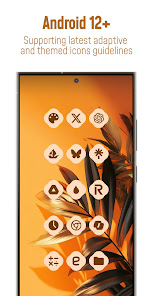
Simply Adaptive is a Material You adaptive icon pack for Android 12 and newer. On supported launchers, icons use colors inspired by your wallpaper and adapt to light and dark modes. You can also choose from supported icon shapes, such as rounded squares and teardrops.
📱 WHAT’S INCLUDED
• 30,000+ Material You icons
• Support for 50,000+ apps
• Exclusive dynamic wallpapers
• Dynamic calendar icons on supported launchers
• Theme-accent icon masking for unthemed apps
• Adaptive shape
• Dark / Light mode
• Free and premium icon requests
• Regular updates
🎨 HOW TO APPLY
1. Install a launcher that supports themed icon packs, or use a supported device customization method.
2. Open Iridescent and tap Apply, or select the icon pack in your launcher’s settings.
3. Choose an icon shape in your launcher’s settings, if supported.
Compatible launchers and options include: Hyperion, KISS, Kvaesitso, Lawnchair, Niagara, Nothing, Nova Launcher, POCO, Smart, Square and TinyBit. Pixel devices can use Shortcut Maker
Samsung One UI devices can use Theme Park.
Themed colors, icon shapes and other features depend on your launcher and device.
📝 MISSING AN ICON?
Send a free icon request from the app. Premium requests are also available. Visit the in-app FAQ for help with common questions.
🛠 SUPPORT & COMMUNITY
Email: pizzappdesign@protonmail.com
Telegram: t.me/customizerscommunity
More links: linktr.ee/pizzappdesign
Match your app icons to your wallpaper with adaptive Material You colors
Updated on
Safety starts with understanding how developers collect and share your data. Data privacy and security practices may vary based on your use, region, and age. The developer provided this information and may update it over time.
- No data shared with third partiesLearn more about how developers declare sharing
- No data collectedLearn more about how developers declare collection
- Data is encrypted in transit
- Data can’t be deleted


Ratings and reviews
620 reviews

Jerred B.
- Flag inappropriate
- Show review history
August 26, 2026
DEV RE: I tried to reapply icons but the colors no longer match my wallpaper. I checked all my settings in themes, wallpapers, & launcher and they are set as before. Tried a new wallpaper & the icons color off as well. The adapting is off. The new update ruined my setup. I tried rebooting my phone it didn't help. Some of my apps even disappeared from my home screen. Honestly my fault for not making a backup of the previous APK I guess.
9 people found this review helpful
PizzApp Design
August 26, 2026
Thanks for your feedback! 💡 Sorry about the issue you experienced. Feel free to email me at : pizzappdesign@protonmail.com with more details, and I’ll be happy to look into it. 🔧 EDIT : Please check if you have enabled the themed color accents on your one ui home-screen settings, you have to remake the theme with themepark too.

Yuri
- Flag inappropriate
September 18, 2026
overall it seems fine but I can't find where you can change the color and it doesn't adapt to my wallpaper. I've looked in every setting everywhere but I can't find anything so all my icons look grey now which is kinda depressing but they're still cool
PizzApp Design
September 19, 2026
Thanks for your feedback! 💡 Sorry about the issue you experienced. Feel free to email me at : pizzappdesign@protonmail.com with more details, and I’ll be happy to look into it. 🔧 EDIT : please enable Themed Accents in your home-screen settings

Kartal Oyuncu
- Flag inappropriate
October 11, 2026
is pretty nice, but I have a issue: colors of the icons don't change on my device. for example I changed to a yellow wallpaper but it still stayed at blue icons. if you help me to fix it, 5 stars.
PizzApp Design
October 15, 2026
Thanks for your feedback! 💡 Sorry about the issue you experienced. Feel free to email me at : pizzappdesign@protonmail.com with more details, and I’ll be happy to look into it. 🔧 EDIT : please reapply the icon pack or use Smart Launcher as it updates automatically the colors.
What’s new
🎉Update v7.2.5
🛠 New Dashboard
--------------------------
🎉Update v7.2
✅ Added 400+ New Icons
✨ Redesigned 100+ Old Icons
💌Icons requested up to 26 October added
📨Icons after 27 October coming next update
⭐️ Don’t forget to rate and review to support development!
🛠 New Dashboard
--------------------------
🎉Update v7.2
✅ Added 400+ New Icons
✨ Redesigned 100+ Old Icons
💌Icons requested up to 26 October added
📨Icons after 27 October coming next update
⭐️ Don’t forget to rate and review to support development!
App support
About the developer
Mihai Gerardo Paolucci
pizzappdesign@protonmail.com
Via Raffaele Aversa, n12/Interno 2
83042 Atripalda
Italy
+39 380 799 8575


